
Inference Endpoints (dedicated) documentation
Deploy with your own container
Deploy with your own container
If the model you’re looking to deploy isn’t supported by any of the high-performance inference engines (vLLM, SGLang, etc.), or you have custom inference logic, need specific Python dependencies, you can deploy a custom Docker container on Inference Endpoints.
This requires more upfront work & understanding of running models in production but gives you full control over the hardware and the server.
We’ll walk you through a simple guide on how to:
- build a FastAPI server to run
HuggingFaceTB/SmolLM3-3B - containerize the server
- deploy the container on Inference Endpoints
Let’s get to it! 😎
1. Create the inference server
1.1 Initialize the uv project
Start by creating a new uv project by running:
uv init inference-server
We’ll be using
uvto build this project but usingpiporcondaworks as well, just adjust the commands accordingly.
The main.py file will:
- load the model from
/repository - start a FastAPI app
- expose a
/healthand a/generateroute
Inference Endpoints has a way to download model artifacts super fast, so ideally our code doesn’t download anything related to the model. The model you select when creating the endpoint will be mounted at
/repository. So always load your model from/repository, not directly from the Hugging Face Hub.
1.2 Install the Python dependencies
Before getting to the code, let’s install the necessary dependencies:
uv add transformers torch "fastapi[standard]"Now let’s build the code step by step. We’ll start by adding all imports and declare a few global variables. The DEVICE and DTYPE global variables are dynamically set according to the underlying GPU/CPU hardware availability.
1.3 Add configurations
import logging
import time
from contextlib import asynccontextmanager
from typing import Optional

import torch
from fastapi import FastAPI, HTTPException
from pydantic import BaseModel, Field
from transformers import AutoModelForCausalLM, AutoTokenizer


# ------------------------------------------------------
# Config + Logging
# ------------------------------------------------------
MODEL_ID = "/repository"
DEVICE = torch.device("cuda" if torch.cuda.is_available() else "cpu")
DTYPE = torch.bfloat16 if torch.cuda.is_available() else torch.float32
MAX_NEW_TOKENS = 512

logging.basicConfig(level=logging.INFO)
logger = logging.getLogger(__name__)
1.4 Implement the ModelManager
We will follow a few best practices:
ModelManager Avoid keeping raw global model/tokenizer objects without lifecycle control. A small
ModelManagerclass lets us:- eagerly load the model onto the accelerator, and
- safely unload it and free memory when the server shuts down.
The benefit we get here is that we can control the server’s behaviour based on the state of the model and tokenizer. We want the server to start → load the model & tokenizer → then signal that the server is ready for requests.
For convenience, we also create a small
ModelNotLoadedErrorclass, to be able to communicate more clearly when the model & tokenizer aren’t loaded.
# ------------------------------------------------------
# Model Manager
# ------------------------------------------------------
class ModelNotLoadedError(RuntimeError):
    """Raised when attempting to use the model before it is loaded."""


class ModelManager:
    def __init__(self, model_id: str, device: str, dtype: torch.dtype):
        self.model_id = model_id
        self.device = device
        self.dtype = dtype

        self.model: Optional[AutoModelForCausalLM] = None
        self.tokenizer: Optional[AutoTokenizer] = None

    async def load(self):
        """Load model + tokenizer if not already loaded."""
        if self.model is not None and self.tokenizer is not None:
            return

        start = time.perf_counter()
        logger.info(f"Loading tokenizer and model for {self.model_id}")

        self.tokenizer = AutoTokenizer.from_pretrained(
            self.model_id,
        )
        self.model = (
            AutoModelForCausalLM.from_pretrained(
                self.model_id,
                dtype=self.dtype,
            )
            .to(self.device)
            .eval()
        )
        duration_ms = (time.perf_counter() - start) * 1000
        logger.info(f"Finished loading {self.model_id} in {duration_ms:.2f} ms")

    async def unload(self):
        """Free model + tokenizer and clear CUDA cache."""
        if self.model is not None:
            self.model.to("cpu")
            del self.model
            self.model = None

        if self.tokenizer is not None:
            del self.tokenizer
            self.tokenizer = None

        if torch.cuda.is_available():
            torch.cuda.empty_cache()

    def get(self):
        """Return the loaded model + tokenizer or raise if not ready."""
        if self.model is None or self.tokenizer is None:
            raise ModelNotLoadedError("Model not loaded")
        return self.model, self.tokenizer


model_manager = ModelManager(MODEL_ID, DEVICE, DTYPE)
1.5 Use FastAPI lifespan for startup and shutdown
- FastAPI lifespan
Using FastAPI’s
lifespanwe can tie the model manager’s functionality to the server by:- loading the model on app startup using
model_manager.load() - unloading the model on app shutdown using
model_manager.unload()This keeps your server’s memory usage clean and predictable.
- loading the model on app startup using
# ------------------------------------------------------
# Lifespan (startup + shutdown)
# ------------------------------------------------------
@asynccontextmanager
async def lifespan(app: FastAPI):
    await model_manager.load()
    try:
        yield
    finally:
        await model_manager.unload()


app = FastAPI(lifespan=lifespan)
1.6 Define the request and response schemas
Now that we have the lifecycle in place, we can start building the core logic of the server itself. We’ll start by defining the request and response types, so that we know exactly what type of data we can pass in to the server and what to expect in response.
The default value for max_new_tokens is 128 and can be increased to a maximum of 512. This is a practical way of capping the maximum memory a request can take.
# ------------------------------------------------------
# Schemas
# ------------------------------------------------------
class GenerateRequest(BaseModel):
    prompt: str = Field(..., min_length=1, description="Plain-text prompt")
    max_new_tokens: int = Field(
        128,
        ge=1,
        le=MAX_NEW_TOKENS,
        description="Upper bound on generated tokens",
    )


class GenerateResponse(BaseModel):
    response: str
    input_token_count: int
    output_token_count: int
Feel free to extend the parameters to include temperature, top_p and other configurations supported by the model.
1.7 Implement the server routes
Moving on to creating the routes for the server - let’s start with the /health route. Here, we’re finally using the model manager to know if the model and tokenizer are ready to go. If the model manager returns a ModelNotLoadedError, we also return an error with the status code of 503.
On Inference Endpoints (and most other platforms), a readiness probe will ping an endpoint every second on its /health route, to check that everything is okay. Using this pattern we can clearly signal that the server isn’t ready before the models and tokenizer are fully initialized.
# ------------------------------------------------------
# Routes
# ------------------------------------------------------
@app.get("/health")
def health():
    try:
        model_manager.get()
    except ModelNotLoadedError as exc:
        raise HTTPException(status_code=503, detail=str(exc)) from exc
    return {"message": "API is running."}
And finally the most interesting section: the /generate route. This is the route that we want to call to actually use the model for text generation.
- It starts with a similar guard as the
/healthroute: we check that the model and tokenizer are loaded, and if not, return a503error. - We assume that the model supports
apply_chat_template, but fall back to passing the prompt directly without chat templating. - We encode the text to tokens and call
model.generate(). - Lastly, we gather the outputs, decode the tokens to text, and return the response.
@app.post("/generate", response_model=GenerateResponse)
def generate(request: GenerateRequest) -> GenerateResponse:
    start_time = time.perf_counter()
    try:
        model, tokenizer = model_manager.get()
    except ModelNotLoadedError as exc:
        raise HTTPException(status_code=503, detail=str(exc)) from exc

    if getattr(tokenizer, "chat_template", None):
        messages = [{"role": "user", "content": request.prompt}]
        input_text = tokenizer.apply_chat_template(
            messages,
            tokenize=False,
            add_generation_prompt=True,
        )
    else:
        input_text = request.prompt

    inputs = tokenizer(input_text, return_tensors="pt").to(DEVICE)

    try:
        with torch.inference_mode():
            outputs = model.generate(**inputs, max_new_tokens=request.max_new_tokens)
    except RuntimeError as exc:
        logger.exception("Generation failed")
        raise HTTPException(
            status_code=500, detail=f"Generation failed: {exc}"
        ) from exc

    input_token_count = inputs.input_ids.shape[1]
    generated_ids = outputs[0][input_token_count:]
    generated_text = tokenizer.decode(generated_ids, skip_special_tokens=True)
    output_token_count = generated_ids.shape[0]
    duration_ms = (time.perf_counter() - start_time) * 1000

    logger.info(
        f"generate prompt_tokens={input_token_count} "
        f"new_tokens={output_token_count} max_new_tokens={request.max_new_tokens} "
        f"duration_ms={duration_ms:.2f}"
    )

    return GenerateResponse(
        response=generated_text,
        input_token_count=input_token_count,
        output_token_count=output_token_count,
    )
1.8 Run the server locally
If you want to run the server locally you would need to replace:
- MODEL_ID = "/repository"
+ MODEL_ID = "HuggingFaceTB/SmolLM3-3B"
Since locally we actually do want to download the model from the Hugging Face Hub. But don’t forget to change this back!
and then run the following:
uv run uvicorn main:app
Go to http://127.0.0.1:8000/docs to see the automatic documentation that FastAPI provides.
Well done 🙌
1.9 Full server code listing
If you want to copy & paste the full code you'll find it here:
import logging
import time
from contextlib import asynccontextmanager
from typing import Optional

import torch
from fastapi import FastAPI, HTTPException
from pydantic import BaseModel, Field
from transformers import AutoModelForCausalLM, AutoTokenizer


# ------------------------------------------------------
# Config + Logging
# ------------------------------------------------------
MODEL_ID = "/repository"
DEVICE = torch.device("cuda" if torch.cuda.is_available() else "cpu")
DTYPE = torch.bfloat16 if torch.cuda.is_available() else torch.float32
MAX_NEW_TOKENS = 512

logging.basicConfig(level=logging.INFO)
logger = logging.getLogger(__name__)


# ------------------------------------------------------
# Model Manager
# ------------------------------------------------------
class ModelNotLoadedError(RuntimeError):
    """Raised when attempting to use the model before it is loaded."""


class ModelManager:
    def __init__(self, model_id: str, device: str, dtype: torch.dtype):
        self.model_id = model_id
        self.device = device
        self.dtype = dtype

        self.model: Optional[AutoModelForCausalLM] = None
        self.tokenizer: Optional[AutoTokenizer] = None

    async def load(self):
        """Load model + tokenizer if not already loaded."""
        if self.model is not None and self.tokenizer is not None:
            return

        start = time.perf_counter()
        logger.info(f"Loading tokenizer and model for {self.model_id}")

        self.tokenizer = AutoTokenizer.from_pretrained(
            self.model_id,
        )
        self.model = (
            AutoModelForCausalLM.from_pretrained(
                self.model_id,
                dtype=self.dtype,
            )
            .to(self.device)
            .eval()
        )
        duration_ms = (time.perf_counter() - start) * 1000
        logger.info(f"Finished loading {self.model_id} in {duration_ms:.2f} ms")

    async def unload(self):
        """Free model + tokenizer and clear CUDA cache."""
        if self.model is not None:
            self.model.to("cpu")
            del self.model
            self.model = None

        if self.tokenizer is not None:
            del self.tokenizer
            self.tokenizer = None

        if torch.cuda.is_available():
            torch.cuda.empty_cache()

    def get(self):
        """Return the loaded model + tokenizer or raise if not ready."""
        if self.model is None or self.tokenizer is None:
            raise ModelNotLoadedError("Model not loaded")
        return self.model, self.tokenizer


model_manager = ModelManager(MODEL_ID, DEVICE, DTYPE)


# ------------------------------------------------------
# Lifespan (startup + shutdown)
# ------------------------------------------------------
@asynccontextmanager
async def lifespan(app: FastAPI):
    await model_manager.load()
    try:
        yield
    finally:
        await model_manager.unload()


app = FastAPI(lifespan=lifespan)


# ------------------------------------------------------
# Schemas
# ------------------------------------------------------
class GenerateRequest(BaseModel):
    prompt: str = Field(..., min_length=1, description="Plain-text prompt")
    max_new_tokens: int = Field(
        128,
        ge=1,
        le=MAX_NEW_TOKENS,
        description="Upper bound on generated tokens",
    )


class GenerateResponse(BaseModel):
    response: str
    input_token_count: int
    output_token_count: int


# ------------------------------------------------------
# Routes
# ------------------------------------------------------
@app.get("/health")
def health():
    try:
        model_manager.get()
    except ModelNotLoadedError as exc:
        raise HTTPException(status_code=503, detail=str(exc)) from exc
    return {"message": "API is running."}


@app.post("/generate", response_model=GenerateResponse)
def generate(request: GenerateRequest) -> GenerateResponse:
    start_time = time.perf_counter()
    try:
        model, tokenizer = model_manager.get()
    except ModelNotLoadedError as exc:
        raise HTTPException(status_code=503, detail=str(exc)) from exc

    if getattr(tokenizer, "chat_template", None):
        messages = [{"role": "user", "content": request.prompt}]
        input_text = tokenizer.apply_chat_template(
            messages,
            tokenize=False,
            add_generation_prompt=True,
        )
    else:
        input_text = request.prompt

    inputs = tokenizer(input_text, return_tensors="pt").to(DEVICE)

    try:
        with torch.inference_mode():
            outputs = model.generate(**inputs, max_new_tokens=request.max_new_tokens)
    except RuntimeError as exc:
        logger.exception("Generation failed")
        raise HTTPException(
            status_code=500, detail=f"Generation failed: {exc}"
        ) from exc

    input_token_count = inputs.input_ids.shape[1]
    generated_ids = outputs[0][input_token_count:]
    generated_text = tokenizer.decode(generated_ids, skip_special_tokens=True)
    output_token_count = generated_ids.shape[0]
    duration_ms = (time.perf_counter() - start_time) * 1000

    logger.info(
        f"generate prompt_tokens={input_token_count} "
        f"new_tokens={output_token_count} max_new_tokens={request.max_new_tokens} "
        f"duration_ms={duration_ms:.2f}"
    )

    return GenerateResponse(
        response=generated_text,
        input_token_count=input_token_count,
        output_token_count=output_token_count,
    )
2. Build the Docker image
Now let’s create a Dockerfile to package our server into a container.
Model weights shouldn’t be baked into the image: Inference Endpoints will mount the selected model at
/repository, so the image only needs your code and dependencies.
We’ll also avoid running as root inside the container by creating a non-root user and granting it access to /app.
First if your uv project doesn’t have a lockfile, which is common if you just created it, we can manually tell uv to make one for us by running:
uv lock
Our Dockerfile will be very standard:
- We use the base PyTorch image with CUDA and cuDNN
- We copy the uv binary
- Make sure that we’re not running things as a privileged user
- Install the dependencies with uv
- Make sure that we expose the correct port
- Run the server
FROM pytorch/pytorch:2.9.1-cuda12.8-cudnn9-runtime

# Install uv by copying the static binary from the distroless image.
COPY --from=ghcr.io/astral-sh/uv:latest /uv /bin/uv
COPY --from=ghcr.io/astral-sh/uv:latest /uvx /bin/uvx

ENV USER=appuser HOME=/home/appuser
RUN useradd -m -s /bin/bash $USER

WORKDIR /app

# Ensure uv uses the bundled venv
ENV VIRTUAL_ENV=/app/.venv
ENV PATH="/app/.venv/bin:${PATH}"

# Copy project metadata first (better caching)
COPY pyproject.toml uv.lock ./

# Create the venv up front and sync dependencies (no source yet for better caching)
RUN uv venv ${VIRTUAL_ENV} \
    && uv sync --frozen --no-dev --no-install-project

# Copy the main application code
COPY main.py .

# Re-sync to capture the project itself inside the venv
RUN uv sync --frozen --no-dev

RUN chown -R $USER:$USER /app

USER $USER

EXPOSE 8000

CMD ["uvicorn", "main:app", "--host", "0.0.0.0", "--port", "8000"]
3. Build and Push the Image
Once your Dockerfile and main.py are ready, build the container and push it to a registry that Inference Endpoints can access (Docker Hub, Amazon ECR, Azure ACR, or Google GCR).
docker build -t your-username/smollm-endpoint:v0.1.0 . --platform linux/amd64
docker push your-username/smollm-endpoint:v0.1.0
Why
--platform linux/amd64? If you’re building this image on a Mac, it will automatically be built for anarm64machine, which is not a supported architecture for Inference Endpoints. That is why we need this flag to specify that we’re targeting thex86architecture. If you’re on anx86machine already, you can ignore this flag.
4. Create the Endpoint
Now switch to the Inference Endpoints UI and deploy your custom container.
Open the Inference Endpoints dashboard and click ”+ New”.
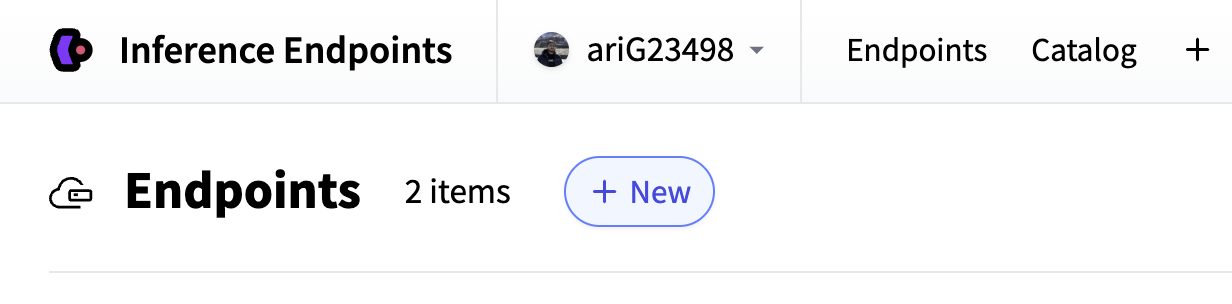
Select
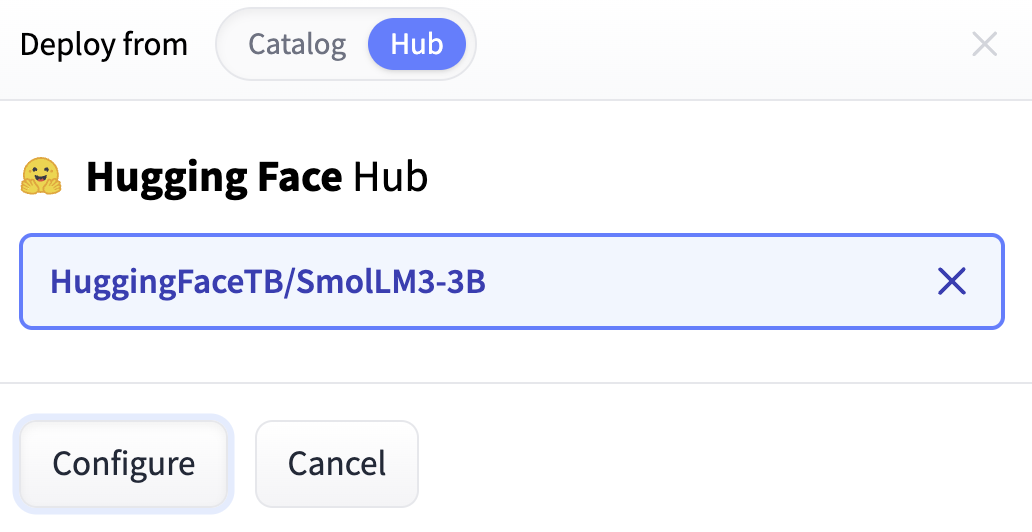
HuggingFaceTB/SmolLM3-3Bas the model repository (this will be mounted at/repositoryinside the container).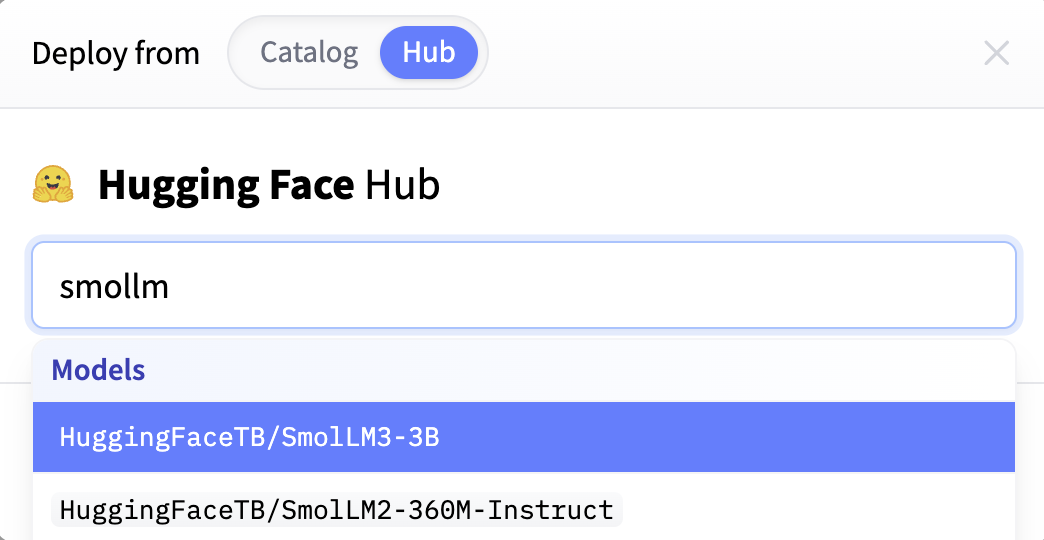
Click “Configure” to proceed with the deployment setup.
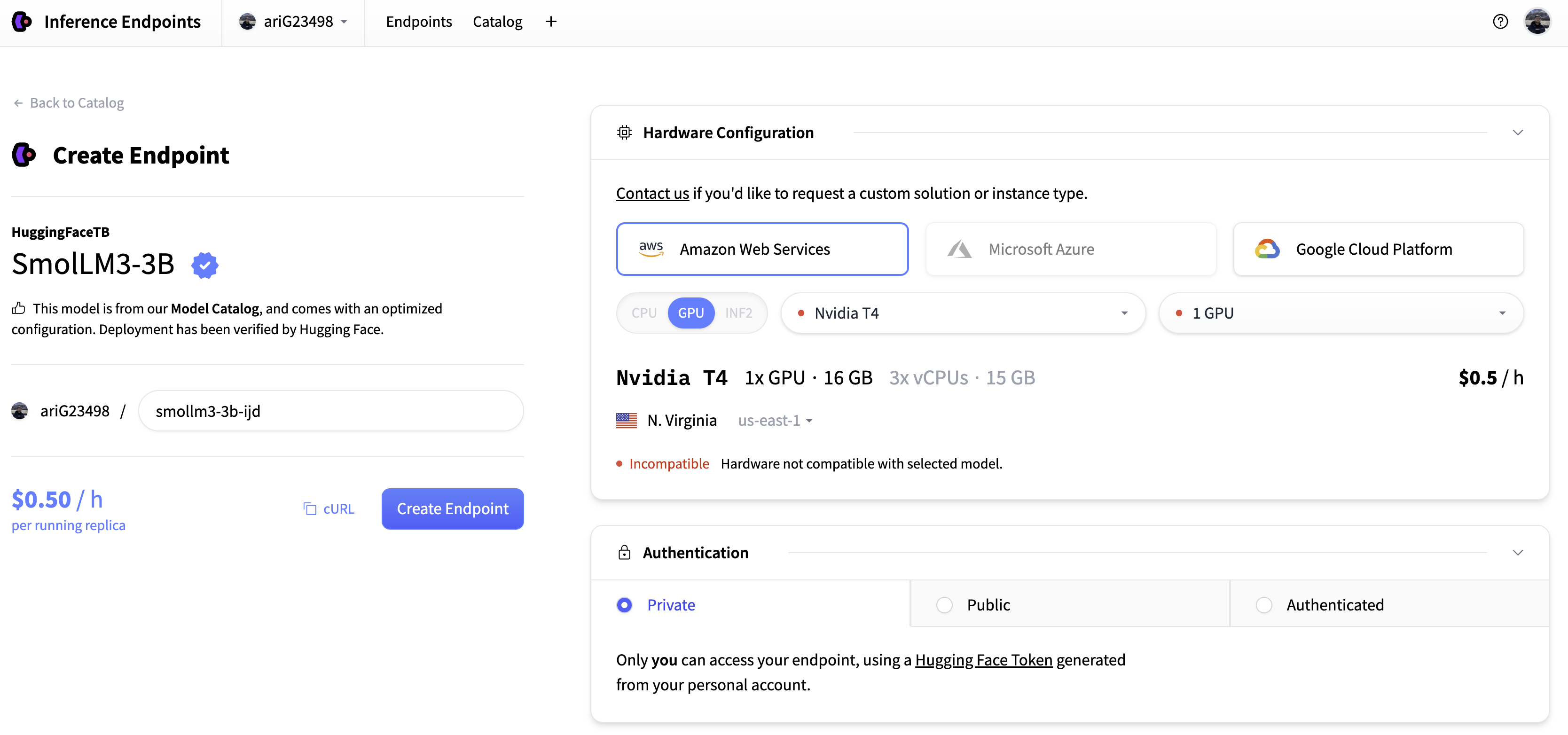
This is the configuration page where you’ll define compute, networking, and container settings.
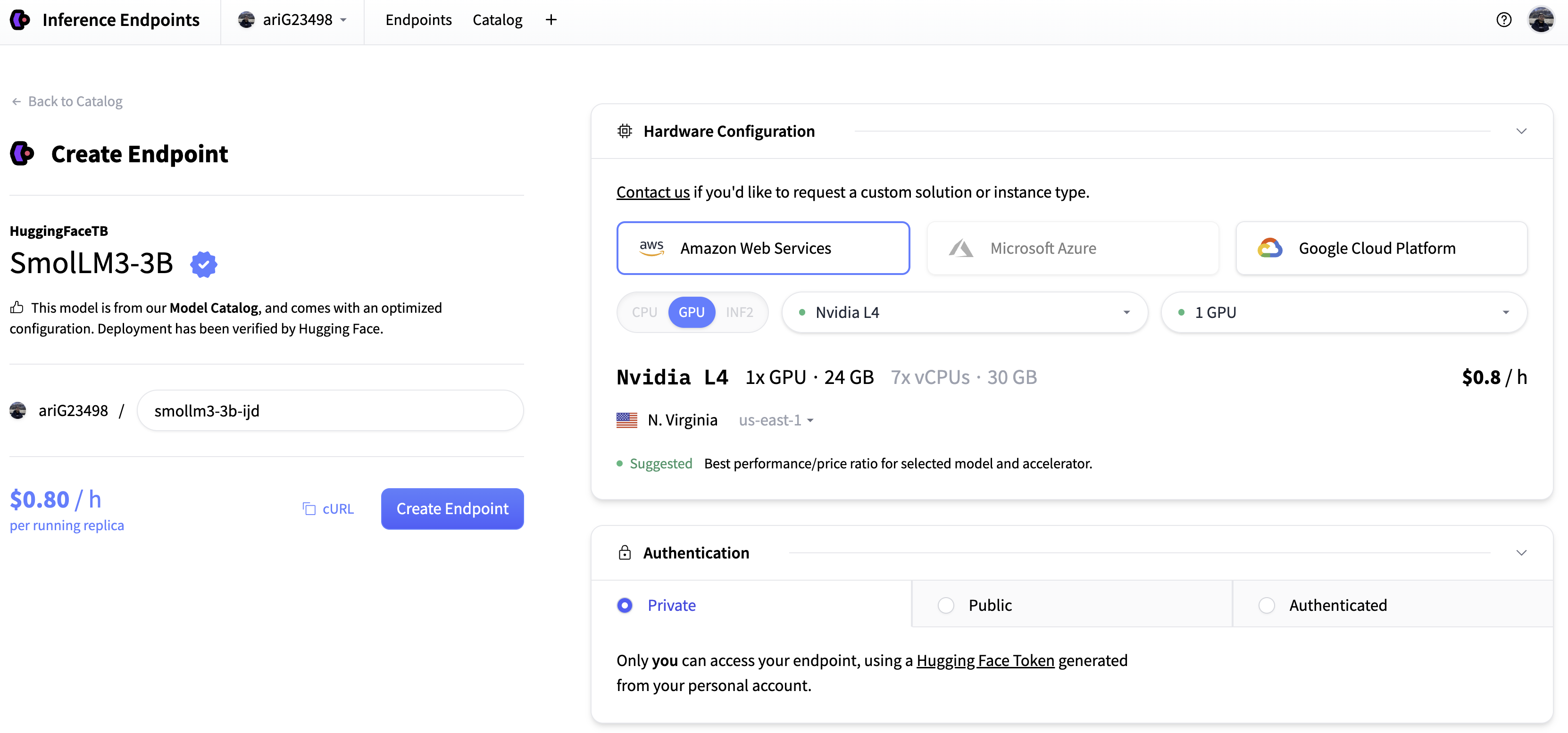
Choose the hardware. Let’s go with the suggested L4.
Under Custom Container, enter:
- your image URL (e.g.,
your-username/smollm-endpoint:v0.1.0) - the port exposed by your container (in our case
8000)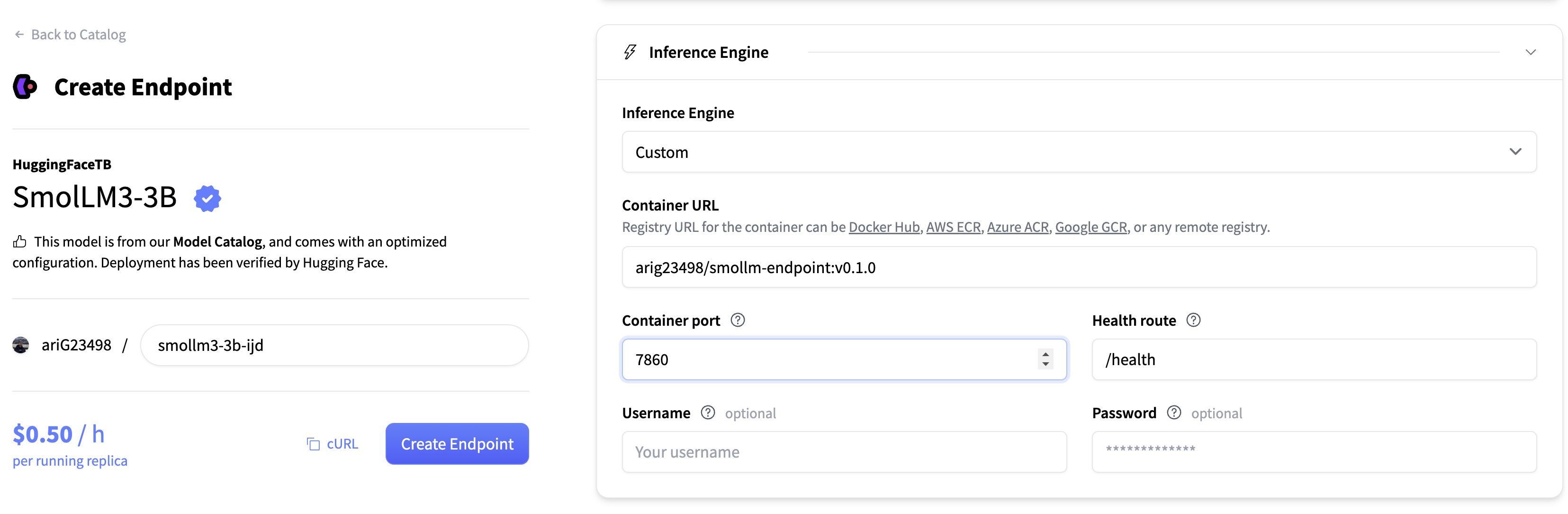
- your image URL (e.g.,
Click “Create Endpoint”. The platform will:
- pull your container image
- mount the model at
/repository - start your FastAPI server
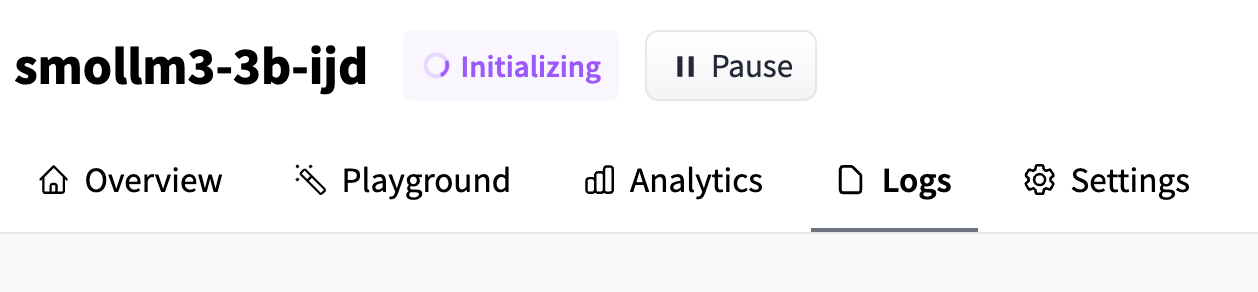
After a short initialization period, the status will change to Running. Your custom container is now serving requests.
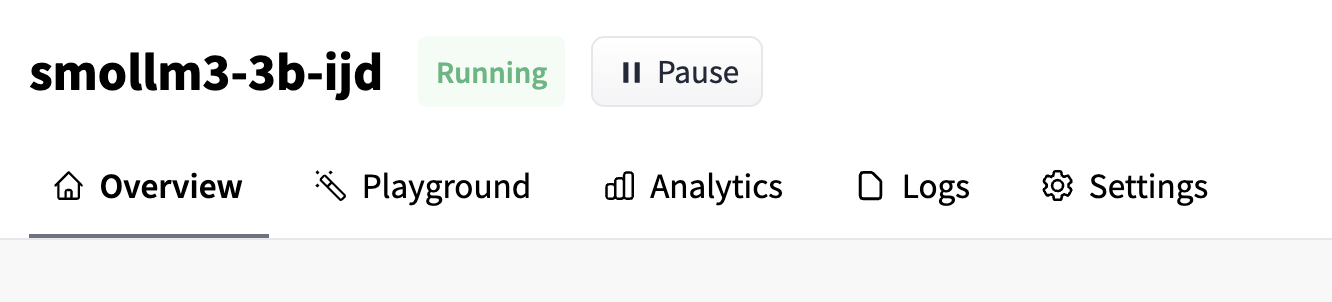
Once deployed, your endpoint will be available at a URL like:
https://random-number.region.endpoints.huggingface.cloud/
Below is a minimal Python client you can use to test it:
from huggingface_hub import get_token
import requests

url = "https://random-number.region.endpoints.huggingface.cloud/generate"

prompt = "What is an Inference Endpoint?"
data = {"prompt": prompt, "max_new_tokens": 512}


response = requests.post(
    url=url,
    json=data,
    headers={
        "Authorization": f"Bearer {get_token()}",
        "Content-Type": "application/json",
    },
).json()

print(f"Input:\n{prompt}\n\nOutput:\n{response['response']}")
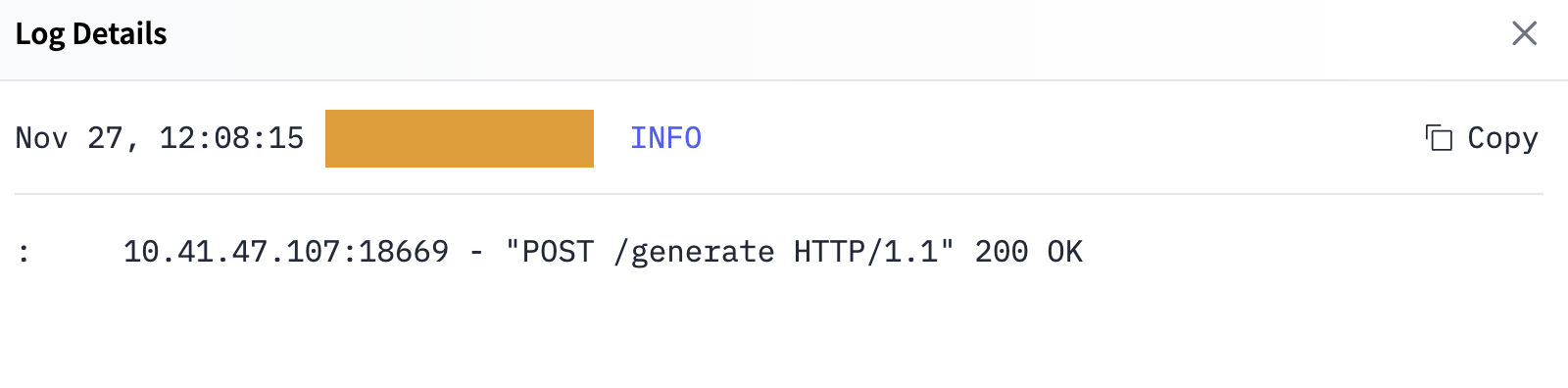
If you open the Logs tab of your endpoint, you should see the incoming POST request and the model’s response.
Input:
What is an Inference Endpoint?

Output:
<think>
Okay, so I need to ...
5. Next steps and extensions
Congratulations for making it until the end. 🎉
A good idea to extend this demo would be to test it out with a completely different model, say an audio model or image generation one.
Happy hacking 🙌
Update on GitHub