

File size: 1,886 Bytes
ff9d336 9b4c2e2 ff9d336 9b4c2e2 ff9d336 9b4c2e2 ff9d336 9b4c2e2 04e7f21 9b4c2e2 |
1 2 3 4 5 6 7 8 9 10 11 12 13 14 15 16 17 18 19 20 21 22 23 24 25 26 27 28 29 30 31 32 33 34 35 36 37 38 39 40 41 42 43 44 45 46 47 48 49 50 51 52 53 54 55 56 57 58 59 60 61 62 63 64 65 66 67 68 69 70 71 72 73 74 75 76 77 78 79 80 81 82 83 84 85 |
---
tags:
- chart
- charts
- fintwit
- stocks
- crypto
- finance
- financial
- financial charts
- graphs
- financial graphs
- plot
- plots
- financial plots
- cryptocurrency
library_name: ultralytics
license: mit
datasets:
- StephanAkkerman/chart-info-yolo
language:
- en
metrics:
- mAP50
- precision
- recall
model-index:
- name: chart-info-detector
results:
- task:
type: image-classification
dataset:
name: Test Set
type: images
metrics:
- type: mAP50
value: 0.7531
- type: precision
value: 0.692
- type: recall
value: 0.657
pipeline_tag: object-detection
base_model: Ultralytics/YOLO12n
---
# Chart Info Detector
This is a fintuned model for detecting objects in financial charts. It uses YOLO12n as its base model, making it a fast and small model. This model is trained on my own datasets of financial charts posted on Twitter, which I labeled myself.
## Inteded uses
chart-info-detector is inteded for finding relevant information from financial chart images.
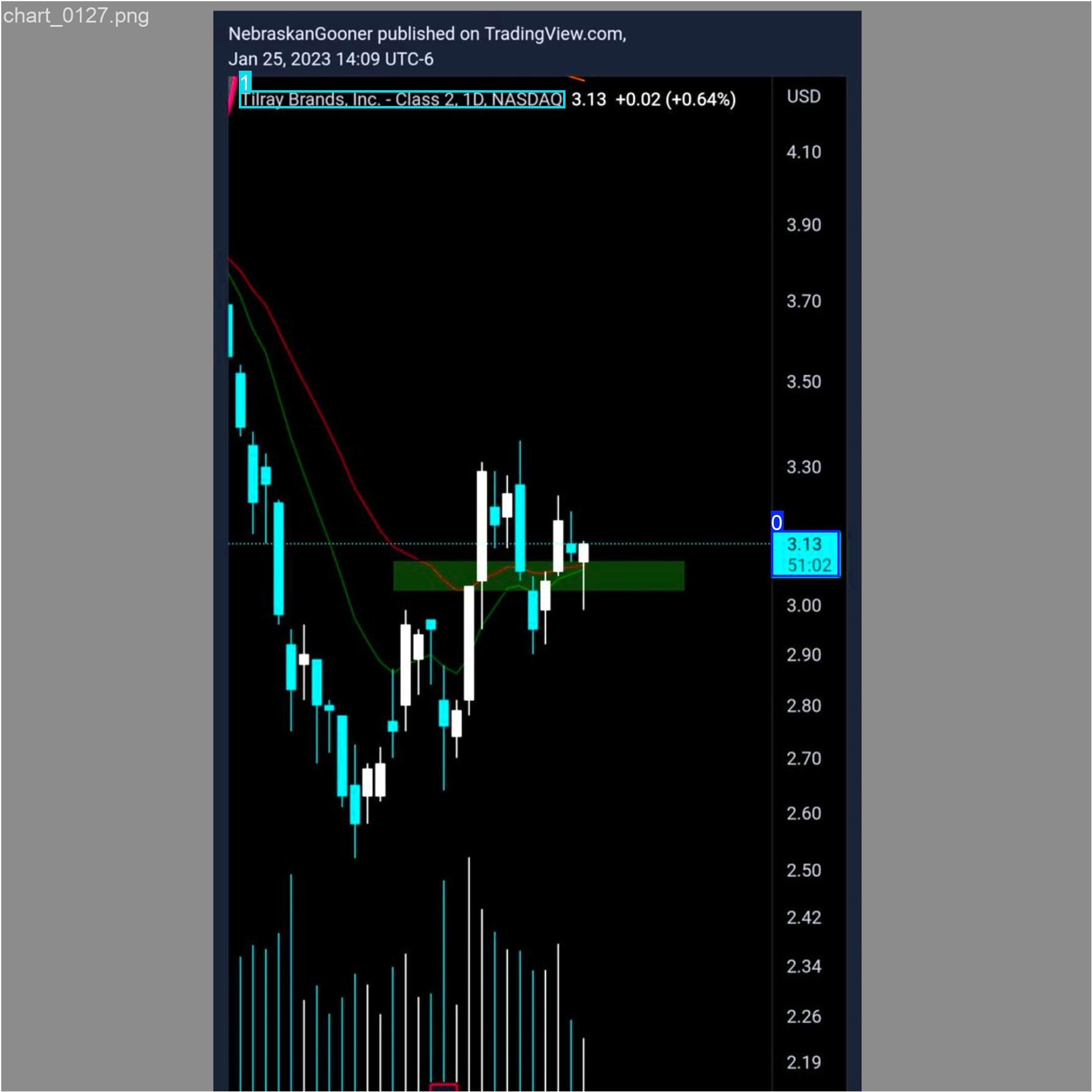
An example of a labelled financial chart:
## Usage
To use this model you need to install the `ultralytics` library with Python. You can then download the weights of this repo and load them into the model.
The image size during training was set to 1792, so be sure to use this too.
```py
from ultralytics import YOLO
from huggingface_hub import hf_hub_download
# Load the pre-trained model
model = YOLO(hf_hub_download(
repo_id="StephanAkkerman/chart-info-detector",
filename="weights/best.pt",
repo_type="model",
))
# Perform object detection on an image
results = model.predict(
source=img_path,
imgsz=1792,
conf=0.25,
iou=0.5,
verbose=False,
)
r = results[0]
# Show the results
r.show()
``` |